
UF Team Picker1.8.1 - Get APK
You'll be able to download in few seconds.
Publisher Description
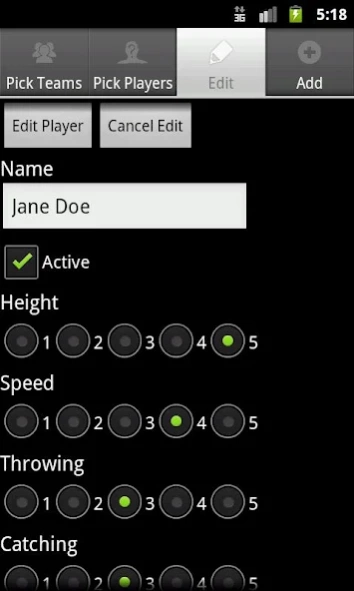
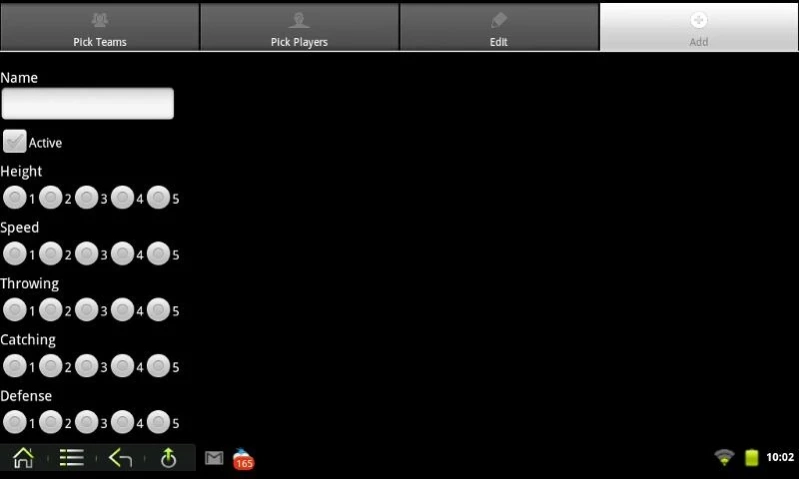
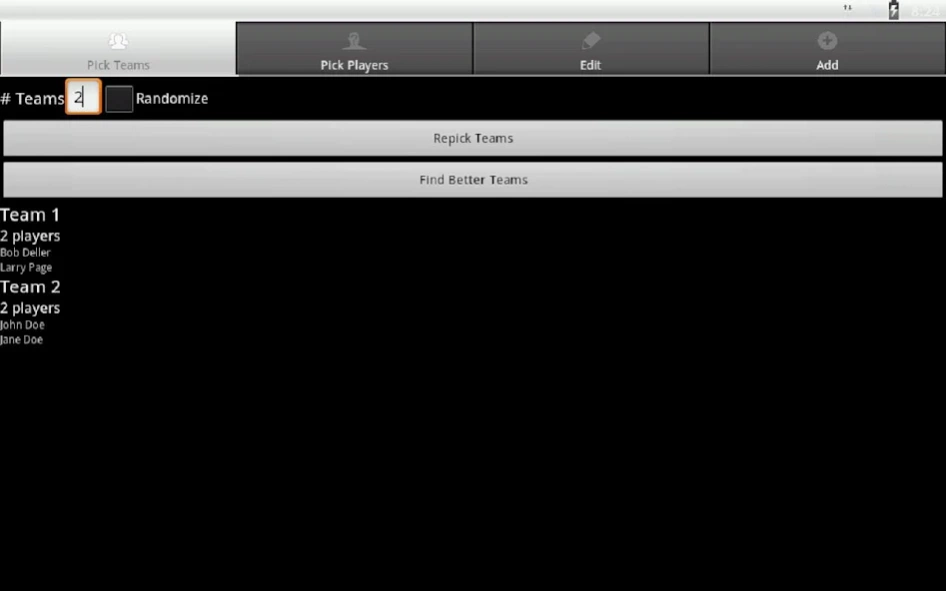
Automatically pick balanced sport teams based on skill ratings.
If you're tired of having to do "team captains" every time you want to change up teams, but don't want entirely random teams either, give this app a try.
This team picker is designed for Ultimate Frisbee games. Team player distribution is based on 7 different player skills and allows selecting which players are there before picking teams.
Skills used: height, speed, catching, throwing, defense, competitiveness, experience, endurance.
The algorithms used are quick and efficient, and produced fairly balanced teams based on the skill ratings. It takes only a few seconds to add a player to the database, and only a few seconds more to un-select players not present.
Some advanced options are available in the Preferences, as well as turning on a more detailed explanation of the team balances after the algorithm is done selecting players.
* Supports 8 different player skills with ratings of 1 to 5.
* Add, edit, and delete players.
* Pick any number teams.
* Select players available for current game.
* Force certain players to be paired with or separated (split) from others.
* Mark players as inactive to make selecting available players quicker.
* Backup, restore, send (e-mail, Dropbox, etc.), and receive/load player database.
* Import and export CSV versions of the database.
* Easy and lightweight interface.
* Can try to make teams' gender distribution equal.
* Optional skill weighting.
About UF Team Picker
The company that develops UF Team Picker is EC Android. The latest version released by its developer is 1.8.1.
To install UF Team Picker on your Android device, just click the green Continue To App button above to start the installation process. The app is listed on our website since 2013-02-12 and was downloaded 0 times. We have already checked if the download link is safe, however for your own protection we recommend that you scan the downloaded app with your antivirus. Your antivirus may detect the UF Team Picker as malware as malware if the download link to com.ellsworth.UFTP is broken.
How to install UF Team Picker on your Android device:
- Click on the Continue To App button on our website. This will redirect you to Google Play.
- Once the UF Team Picker is shown in the Google Play listing of your Android device, you can start its download and installation. Tap on the Install button located below the search bar and to the right of the app icon.
- A pop-up window with the permissions required by UF Team Picker will be shown. Click on Accept to continue the process.
- UF Team Picker will be downloaded onto your device, displaying a progress. Once the download completes, the installation will start and you'll get a notification after the installation is finished.
Program Details
System requirements
Download information
Pricing
Version History
version 1.8.1
posted on 2013-02-12
* Fixed a picking progress display bug.,* Added endurance attribute (just leave it at 1 if you want to ignore it).,* Fixed bug causing crash in certain instances when splitting a player from two other players.,* Got rid of annoying some toast messages and made some toast messages faster.,* Made preferences page save on any change rather than having to press the save button.
version 1.8.1
posted on 2013-02-12
Several fixes and updates
Disclaimer
External Download
We do not host UF Team Picker on our servers. We did not scan it for viruses, adware, spyware or other type of malware. This app is hosted by Galad and passed their terms and conditions to be listed there. We recommend caution when installing it.
The APK Download link for UF Team Picker is provided to you by apps112.com without any warranties, representations or guarantees of any kind, so access it at your own risk.
If you have questions regarding this particular app contact the publisher directly. For questions about the functionalities of apps112.com contact us.
